Wise Stay Sardinia

Boutique Apart

Welcome!

Everything you need for a pleasant and relaxing stay

Check-in & Check-out

Check-in

From 16:00

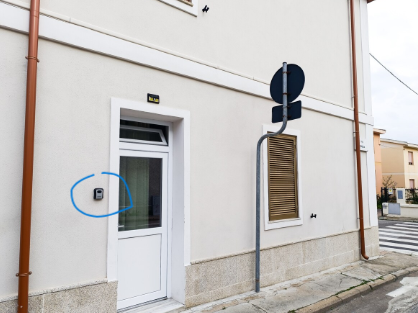
Self Check-in: The key lockbox is located next to the main entrance.

Open the instructions below to view all the details.

Check-out

By 10:00

Before you leave:

  • Turn off all lights and the air conditioning.
  • Leave the windows open to air out the apartment.
  • Leave the kitchen clean (dishes, cutlery, etc.).
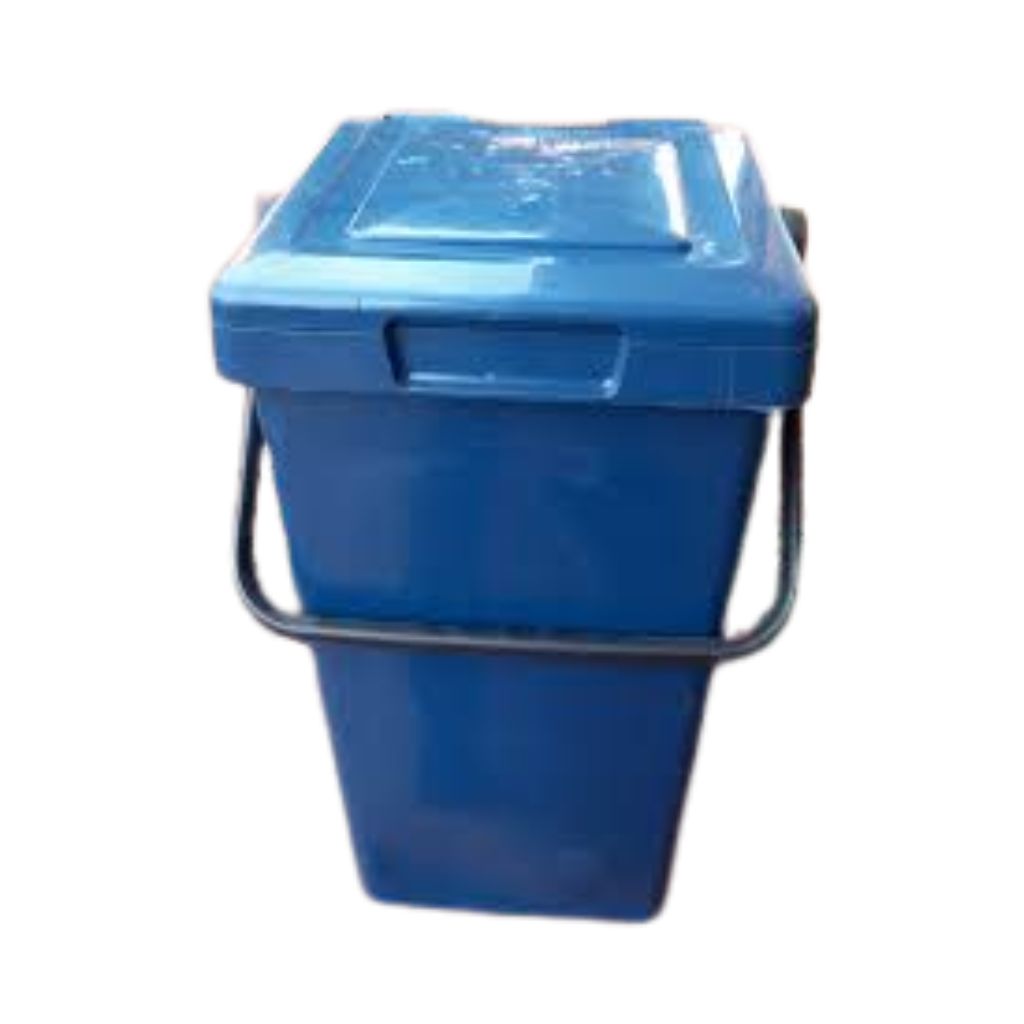
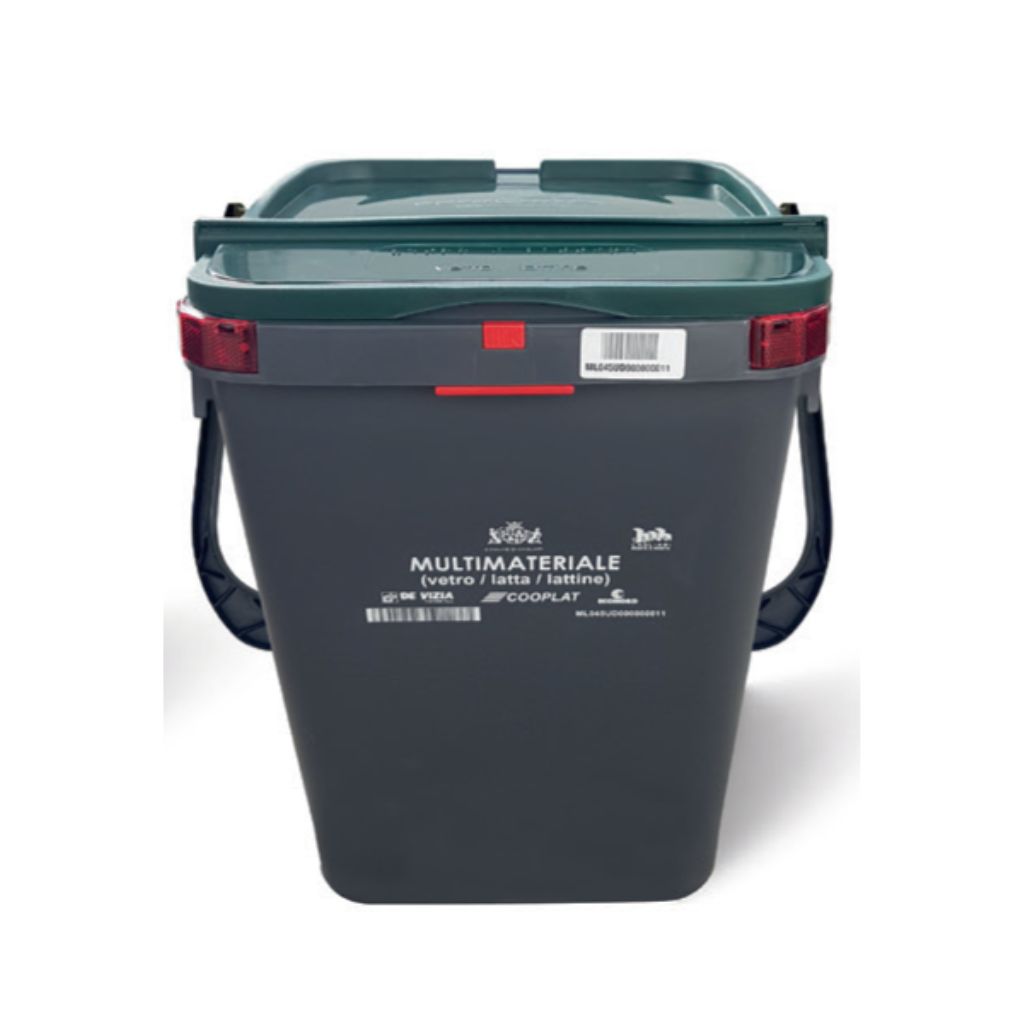
  • Dispose of your waste in the designated bins located in the kitchen and separate it correctly (paper, plastic, organic waste, glass/cans, and general waste).
  • Return the keys to the lockbox.

How to Complete Self Check-in

1) The Entrance

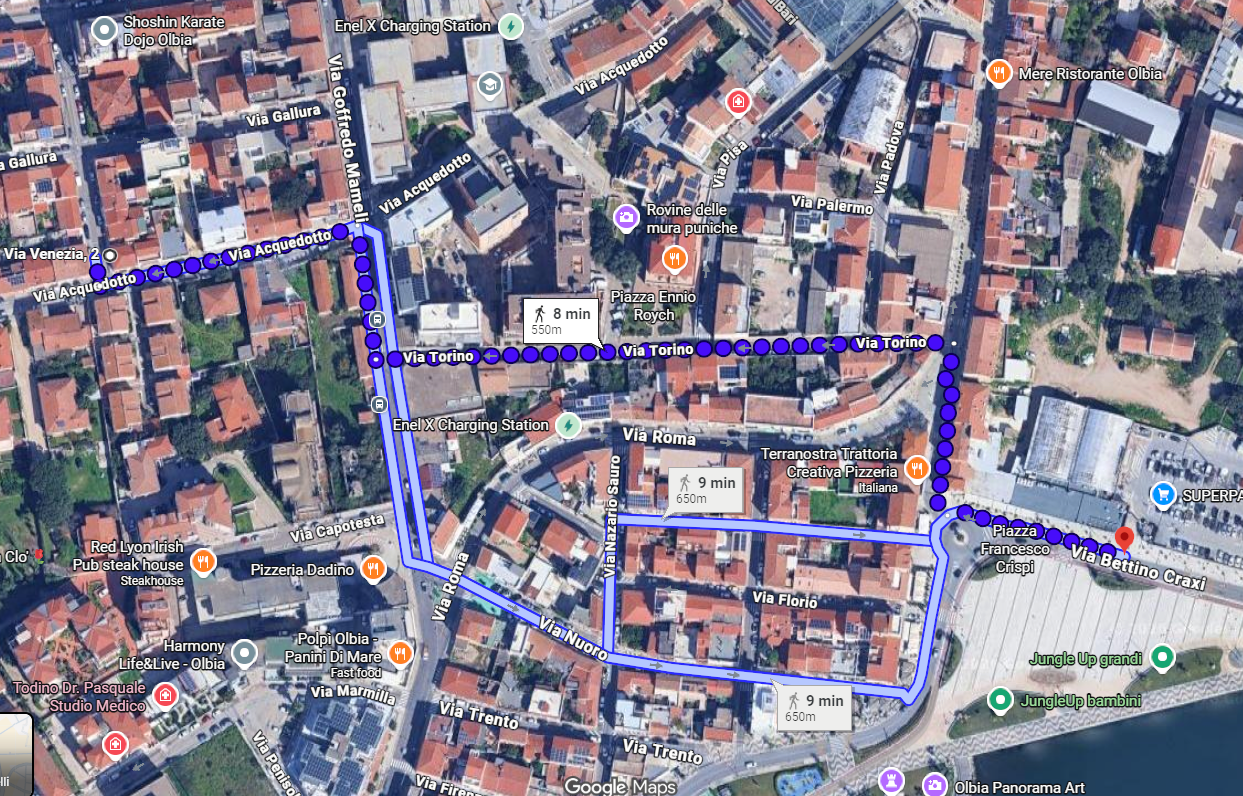
The address is Via Venezia 2.
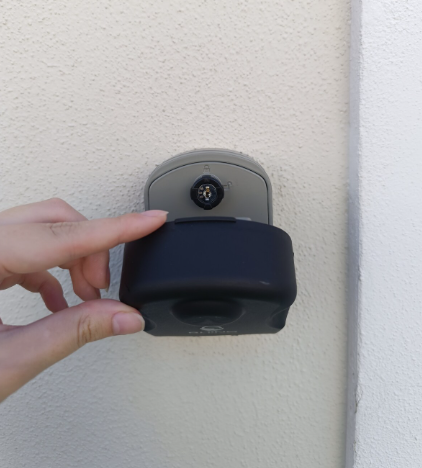
The keys are located inside the lockbox indicated in the photo.
2) Open the Cover

Open the cover of the key lockbox.
3) Enter the Code

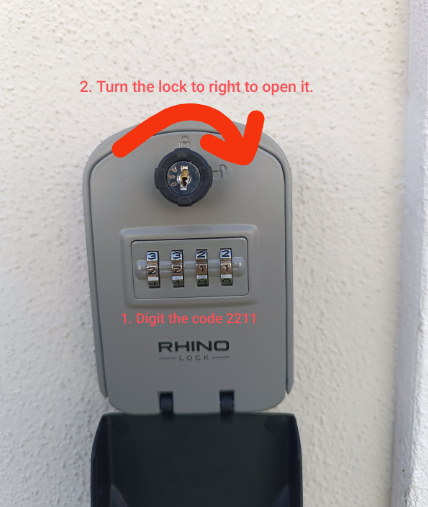
Set the code: 2211
Once the code has been entered, turn the lock to the right to open the lockbox.
4) Take and close

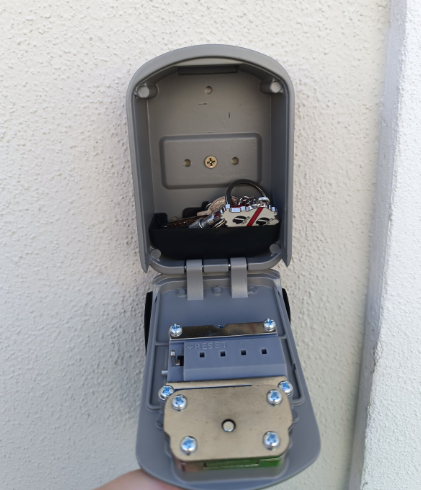
When you close the key box, turn the lock to the left where the closed lock symbol is. And SHUFFLE the code. Finally, close the case.
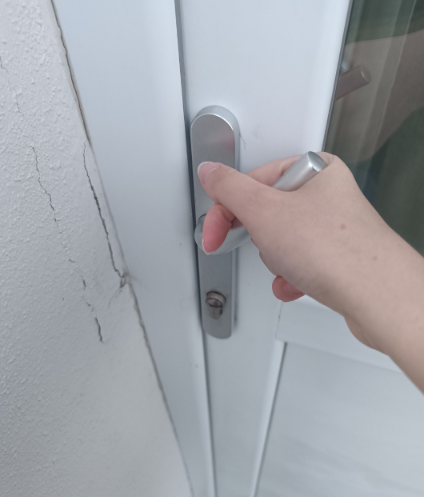
5) The door

To lock the door, you have to lift the handle and then turn the key. Once the door is locked, you have to lower the handle

PLEASE NOTE: In the summer, given the heat, the door can get a bit stuck. Just pull it toward you and then push down on the left with your knee.

Location of the Apartment

Address

Via Venezia 2, Olbia

House Rules

No Smoking

Smoking is not allowed inside the apartment. Please use the terrace.

No Parties

Please respect our neighbors and keep noise to a minimum, especially during the evening and nighttime hours.

Quiet Hours

11:00 PM – 8:00 AM 

Recycle

Please sort and dispose of your waste correctly, following the instructions provided in the dedicated recycling section. Separate bins are available for each type of waste in the terrace.

Kitchen Cleaning

Please leave the kitchen area, dishes, cookware and oven clean after use. 


If food scraps or crumbs are left behind, you may attract unwanted visitors (cockroaches), as they are unfortunately common in the historic city center.

Air Conditioning

Please switch off the air conditioning when leaving the apartment and keep doors and windows closed while it is running.

Electricity Usage

Please avoid using multiple high-power appliances at the same time (air conditioning, boiler, oven, hairdryer, washing machine), as this may cause the power to trip.

Treat it Like Home

Please treat the apartment with care and respect, as if it were your own home. We hope you enjoy your stay and leave the space in the same condition you found it.

Appliances

Appliance Usage

The apartment’s electrical system is designed for normal household use. However, using multiple high-power appliances at the same time may cause the circuit breaker to trip.

For example, if the air conditioning and the water heater are already running, switching on a hairdryer or another high-consumption appliance may temporarily interrupt the electricity supply.

To avoid inconvenience, we recommend limiting the simultaneous use of energy-intensive appliances.

Thank you for your cooperation and for using the apartment’s utilities responsibly.

Induction Cooktop

The cooktop is induction-based and only works with induction-compatible cookware.

To Turn It On

  1. Press and hold the ON/OFF button for approximately 3 seconds.
  2. Place an induction-compatible pot or pan on the desired cooking zone.
  3. Select the cooking zone and adjust the power level using the + and − controls.

Important

  • If the cooktop does not detect compatible cookware, it will not activate.
  • Use only cookware with a magnetic, perfectly flat base.
  • Never leave the cooktop unattended while cooking.

To Turn It Off

  1. Press the ON/OFF button.
  2. Check that all indicator lights are switched off.

If an “H” appears on the display, the surface is still hot. Wait until it has cooled down before touching it.

Child Safety Lock

If the 🔒 lock symbol appears on the display, the child safety lock is activated.

To Unlock the Cooktop

  1. Press and hold the lock button for approximately 3–5 seconds.
  2. Wait for the lock symbol to disappear from the display.
  3. The cooktop will then be ready for use.
Oven

You are welcome to use the oven during your stay.

However, we kindly ask that you clean it after each use and remove any food or grease residues.

If the oven is left excessively dirty and requires deep cleaning, additional cleaning charges may apply.

Thank you for taking care of the apartment as if it were your own home.

Air Conditioning

For maximum comfort and efficient operation, we recommend setting the air conditioning to COOL mode at a temperature of approximately 22°C (72°F).

⚠️ Please do not leave the air conditioning running when you are not in the apartment.

To ensure optimal performance, please keep doors and windows closed while the air conditioning is operating.

Thank you for your cooperation and for using energy resources responsibly.

Washing Machine

The washing machine is available for your use during your stay.

Laundry detergent is not always provided. If detergent is available in the apartment, you are welcome to use it. Otherwise, we kindly ask you to purchase your own during your stay.

After each wash cycle, please leave the washing machine door slightly open. This allows the interior to dry properly and helps prevent moisture buildup and unpleasant odors.

Thank you for your cooperation and for taking care of the apartment

Coffee Machine

The apartment is equipped with a Nescafé Dolce Gusto coffee machine.

For each stay, we provide a few complimentary coffee capsules so you can enjoy a coffee upon arrival. Once these have been used, additional capsules can be purchased at local supermarkets.

How to Use It

  1. Fill the water tank with fresh water.
  2. Insert your chosen capsule.
  3. Select the water quantity indicated on the capsule packaging.
  4. Start the brewing process.

Please empty the used capsule container and leave the machine clean after use.

Thank you for your cooperation.

Hot Water

The apartment is equipped with a water heater (boiler) that provides hot water.

Please note that hot water does not arrive instantly when you turn on the tap. It may take a few moments to reach the desired temperature.

Water pressure may vary throughout the day and may not always be particularly strong. This does not indicate a malfunction of the system.

The boiler has a capacity of approximately 50 liters, which is generally sufficient for two consecutive showers. If the hot water runs out, please allow some time for the boiler to reheat the water.

To ensure that hot water remains available for all guests, we kindly ask you to avoid excessively long showers.

TV

The main streaming applications available include:

  • Netflix
  • Prime Video
  • YouTube
  • Other compatible Android TV apps

You are welcome to log in to streaming services using your personal accounts.

⚠️ Before check-out, please remember to log out of all your accounts (Netflix, Prime Video, YouTube, and any other services) to protect your privacy and allow future guests to use the TV properly.

Thank you for your cooperation.

In Case of a Power Outage

If the electricity supply in the apartment is interrupted, please carry out the following simple checks:

  1. First, check the main external electricity meter, located near the entrance gate that is on the right side as you exit the apartment.
  2. If the external meter is active but there is still no electricity inside the apartment, please contact me.

In some cases, a power outage may be caused by the simultaneous use of several high-power appliances (for example, the air conditioning, water heater, oven, or hairdryer). If this happens, switch off one or more appliances and reset the tripped breaker.

If the problem persists, please contact us and we will be happy to assist you.

Waste Disposal & Recycling

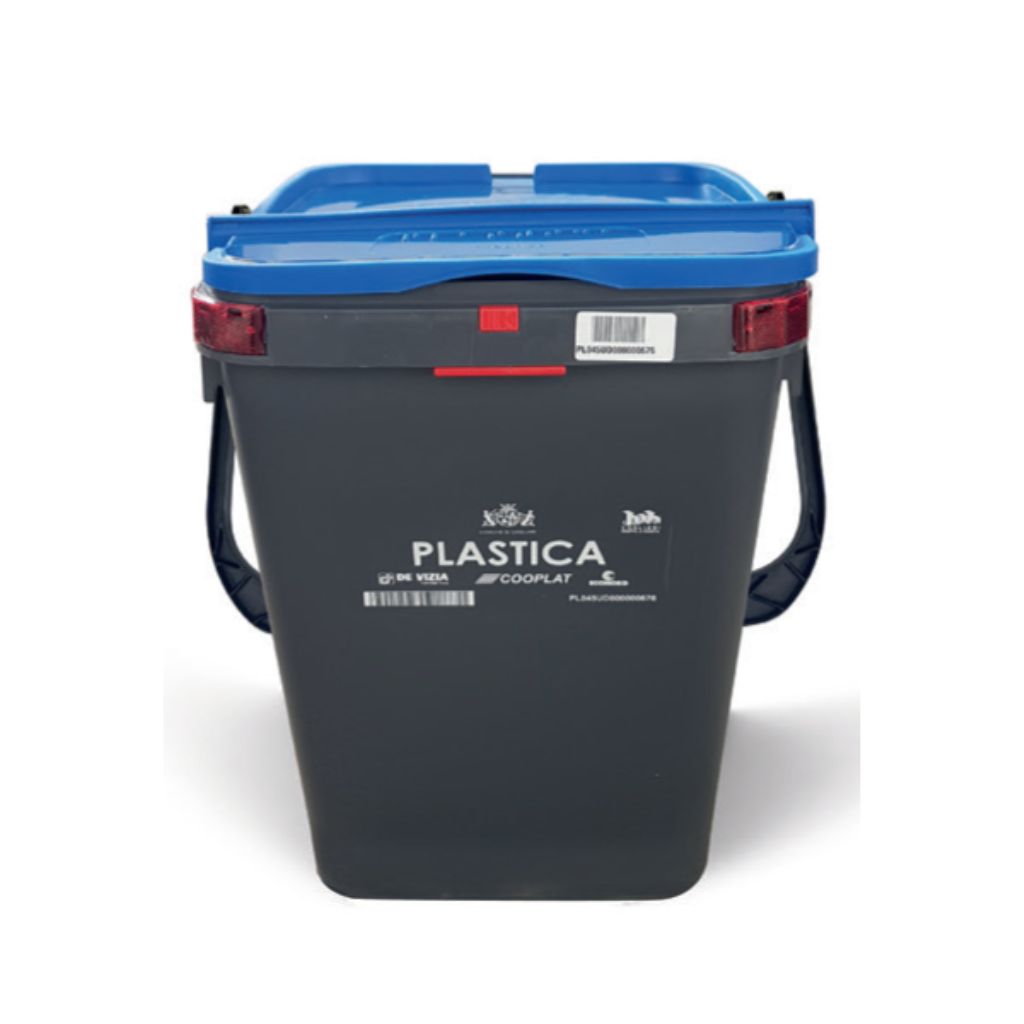
Plastic

Dispose of:

  • Plastic bottles
  • Detergent and shampoo containers
  • Food packaging
  • Plastic film and wrapping
  • Plastic bags and other plastic packaging

Please rinse containers quickly and flatten them whenever possible to reduce volume.

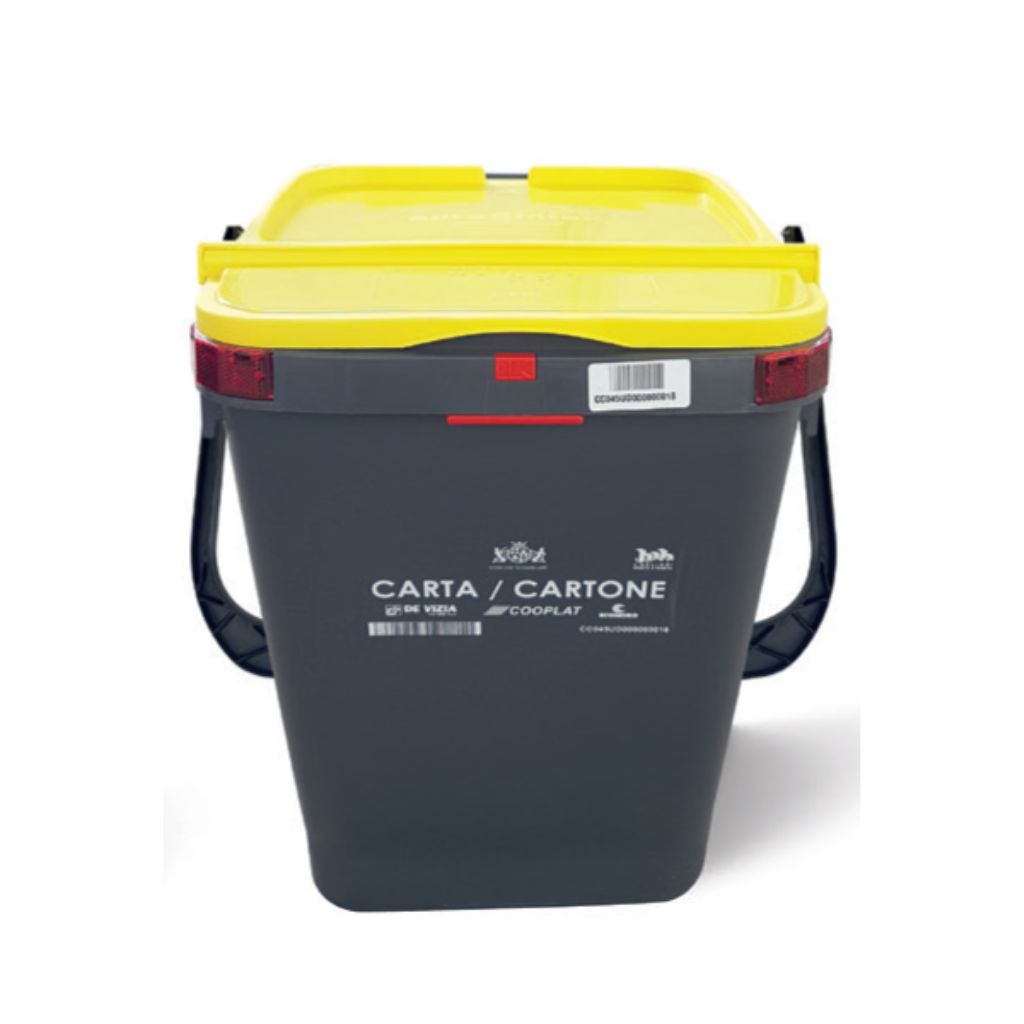
Paper

Dispose of:

  • Newspapers and magazines
  • Flyers and brochures
  • Cardboard boxes
  • Paper packaging

Please make sure the material is clean and flatten boxes to save space.

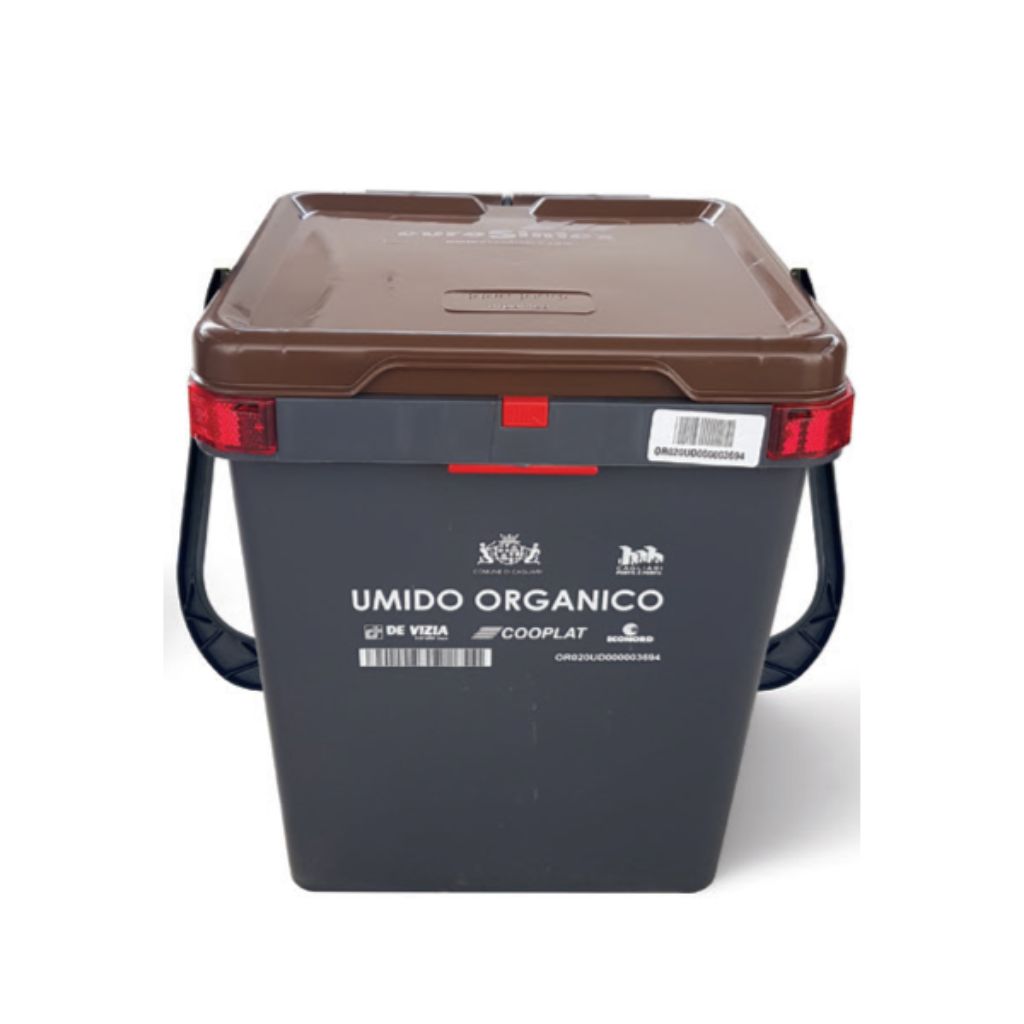
Organic Waste

Dispose of:

  • Food scraps
  • Fruit and vegetable peels
  • Coffee grounds
  • Tea bags
  • Other biodegradable kitchen waste

Please use biodegradable bags and close them securely before disposal.

Glass & Cans

Dispose of:

  • Glass bottles
  • Jars and containers
  • Aluminum and metal cans

Please empty containers before disposal.

Do not dispose of ceramics, porcelain, or mirrors in this bin.

General Waste

For items that cannot be recycled in any of the categories above.

Please try to keep this category to a minimum by separating recyclable materials correctly.

Examples: receipts, used sponges, cigarette butts.

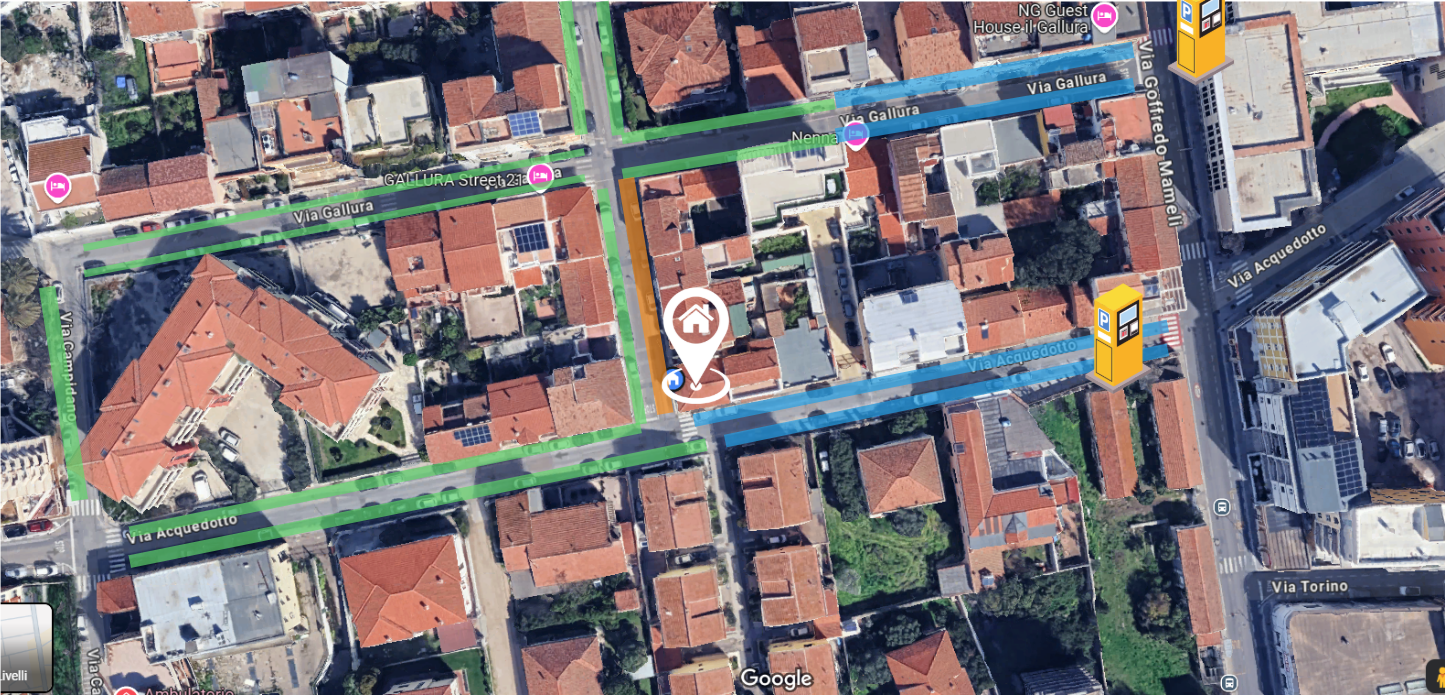
Parking around

Blue Lines (Paid)

Blue painted lines mean paid parking. You must purchase a ticket from a nearby machine or use the EasyPark / MyCicero app. 

Usually paid Mon–Sat 8:00–13:00 and 15:00–20:00. Free on Sundays and holidays. There should usually be a sign with information in the parking area

White Lines (Free)

White painted lines indicate free parking. These are available further from the center and along secondary roads. No time limit unless otherwise signed.

Yellow lines are reserved for disabled drivers, deliveries, or residents — do not park here.

Orange Line on the map

There is a parking ban on this side of the road, so parking is prohibited, but as you will see the residents park anyway. The police only come if someone calls them, so it almost never happens.

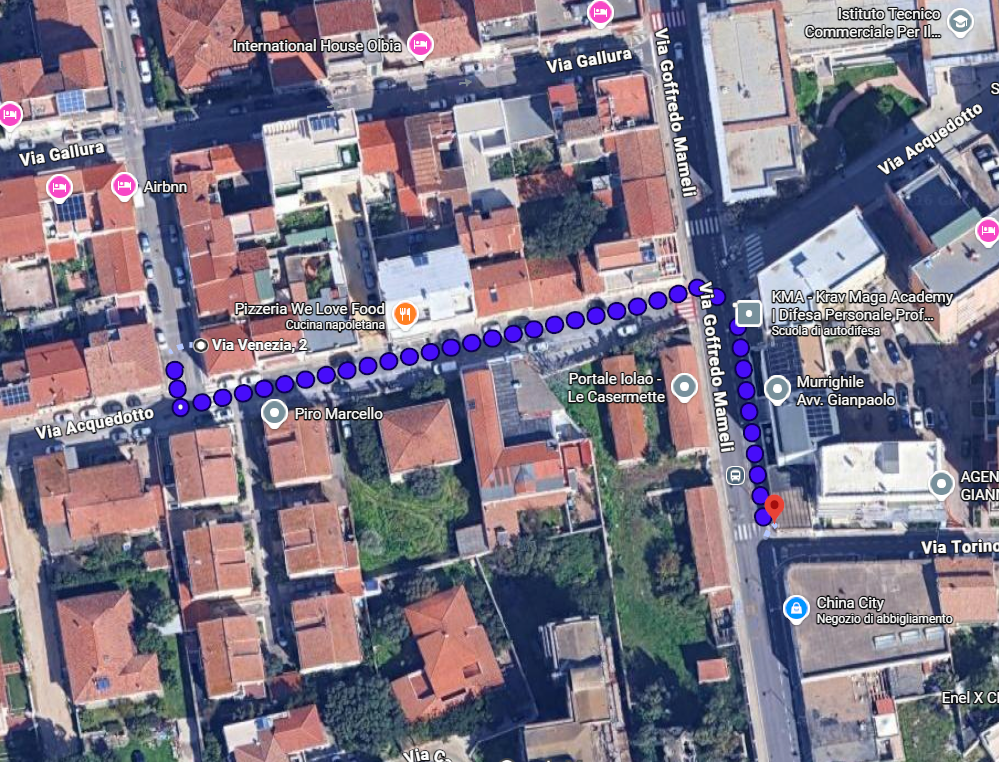
Nearby Shops

Click on the map to open it in Google Maps

3-minute walk.
Grocery store. Small but has the essentials.

Click on the map to open it in Google Maps

10 minute walk.
Big supermarket with all the necessary. Has also sardinian products.

A fairly small shopping center.

It has stores like Zuiki, Kasanova, OVS, Conad Supermarket, Bata, and Calzedonia.

How to get there:

Local ASPO bus – Line 1

By car: 10 minutes, free parking available

A slightly larger shopping center. It has stores like Zara, Bershka, Stradivarius, Desigual, Cisalfa, Candida, Cotton & Silk, Calzedonia, Yamamay, Foot Locker, Kiko, Intimissimi, Motivi, NYX, Original Marines, Oltre, Pandora, Pull & Bear, Sephora, Sonny Bono, Stoili, Swarovski, Tezenis, Wycon.

How to get there:

Local ASPO bus – Line 1

By car: 10 minutes, free parking available

Advices and FAQ

Important Safety Notice

Please do not leave any valuables, bags, electronic devices, passports, wallets, or other personal documents inside your car when parking at the beach or in public parking areas.


Unfortunately, during the summer season, thefts from parked vehicles can occur, particularly involving rental cars, which are often targeted by thieves.

We strongly recommend taking all valuable items and important documents with you and ensuring your vehicle is properly locked at all times.

 
Is the tap water drinkable?

No, in Olbia we don’t drink tap water. Buy some bottles of water from the supermarket.

What if something breaks or doesn't work?

Please message me immediately on Whatsapp (+39 333 947 6089) or Airbnb and I’ll solve it as quickly as possible. I’m usually available within 30 minutes. 
If it’s an absolute emergency, call me!

Need Anything?

I'm here to help make your stay perfect

Available 24/7 - Usually respond within 30 minutes

Scroll to Top